
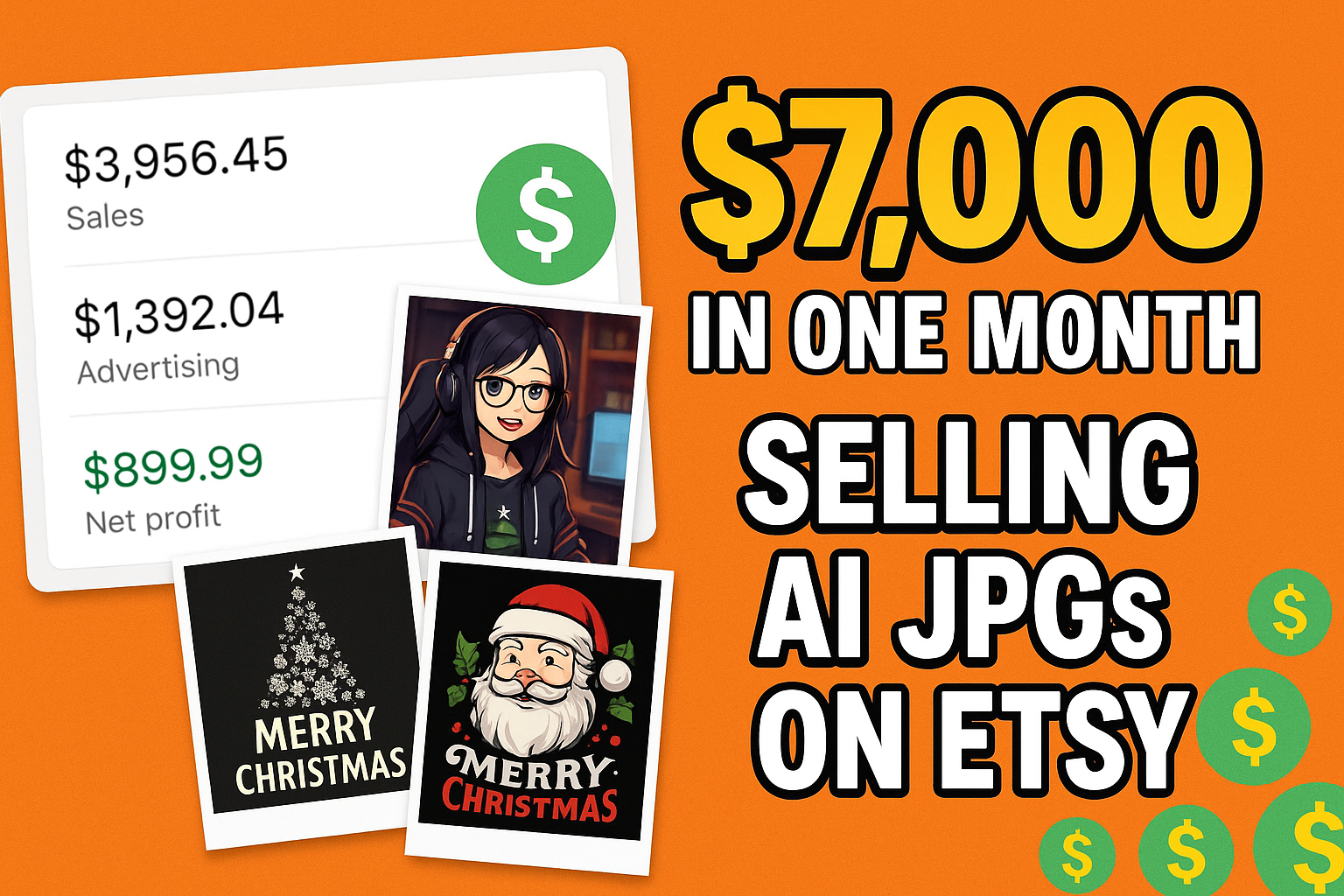
Every month I share exactly how much my Etsy shops made, what worked, and what didn’t.
In this breakdown, I’ll show you how my digital product shops (AI JPGs) plus one print-on-demand shop brought in a little over $7,000 in profit in a single month – and what I’m changing going forward. This post is adapted from my YouTube income-report video.
First, a Reality Check: I Don’t Run 5+ Shops Alone
A lot of people assume I sit here managing five or six Etsy shops by myself.
I don’t.
I treat this like a business, not a heroic side hustle. That means:
- I outsource a lot of the work (product creation, uploads, etc.).
- I partner with people on some shops.
- I focus on strategy, testing, and new opportunities – not clicking every button alone.
If you’re reading this thinking:
“How could I possibly manage that many stores?”
You’re not supposed to do it alone. The whole point is to build something that can eventually run with a team or systems, not just your free time after work.
What I Actually Sell (and the Tools I Use)
All the shops in this breakdown, except the last “bonus” one, are digital products:
- AI-generated clipart
- Digital prints for t-shirts and sweatshirts
- VTuber / streamer avatars and characters
So we’re talking AI JPGs, not physical stock, warehouses, or shipping.
On top of that, I use my own all-in-one platform, Kreatorium AI, to run most of this.
Instead of paying for:
- A photo editor
- A product research tool
- Separate AI image generators
- A video generator
- A mockup generator
…I roll all of that into a single subscription inside Kreatorium AI and pair it with a private community and weekly calls where I share new shop ideas, trends, and service angles.
That’s the engine behind everything you’re about to see.
Shop #1 – Clipart & Digital Prints (Low Ticket, Heavy Ads)
Niche: Clipart + digital t-shirt designs
Customers: Teachers, moms, crafters, and print-on-demand sellers
Seasonal focus this month: Christmas & Thanksgiving
Rough numbers for the month:
- Sales: around $3.6K
- Etsy fees: high (lots of listings)
- Marketing (ads): almost $1.4K
- Net profit: roughly $900
The big issue?
Ads were eating the margins.
These products sell for $2–$5 per listing, so even if you sell a lot, your profit per order is tiny. When you stack:
- Listing fees
- Transaction fees
- Ad spend
…you can easily turn a good sales number into a mediocre profit month.
Lesson from Shop #1
- Low ticket + aggressive ads = bad combo.
- If your margins are thin, ads can absolutely destroy your profit.
- For cheap digital products, I’d rather rely mostly on organic traffic and maybe test very small budgets ($5–$10/day max).
Shops #2–#4 – VTuber & Digital Character Shops
I run three shops that sell VTuber-style digital characters.
These are avatars for:
- Streamers who don’t want to show their real face
- People with serious jobs who want to stream anonymously
- Niche VTuber creators who want a unique look
You can charge much more per order here. A single VTuber character can sell for $50–$60 or more.
Shop #2 – VTuber Shop #1
- Sales: $532
- Fees: $106
- Marketing: $144 (probably off-site ads)
- Net profit: $424
We’re not actively running ads here, so this is mostly organic plus whatever Etsy automatically does.
Shop #3 – VTuber Shop #2
- Sales: $689
- Fees: $102
- Marketing: $0.69
- Net profit: $586
Same concept, similar product line – just a different store, slightly more listings.
Shop #4 – VTuber Shop #3 (Basically on Autopilot)
- Sales: $70
- Fees: $10
- Net profit: $59
Last month it made something like $10–$30. This month, it did better…without us touching it.
What These 3 Shops Tell Me
- Niche services and high-ticket digital items can still do well, even if they’re not as hot as they were earlier.
- Once you have listings ranked and a solid offer, you can have shops that drip profit with almost no effort.
- This niche is cooling off a bit, so I don’t expect it to be as crazy as it was when it was “printing” earlier.
Shop #5 – The Main Digital Print Shop (The Big Earner)
This is the shop everybody wants to see.
Niche: Digital t-shirt/sweatshirt designs
Focus this month: Christmas themes and holiday designs
Numbers:
- Sales: $6,289
- Fees: $1,540 (lots of listings + lots of orders)
- Marketing: $14.54 (mostly subscription + a bit of off-site ads)
- Net profit: $4,734
We’re talking digital prints only:
- Designs for t-shirts
- Designs for sweatshirts
- Individual and bundled listings
The shop has around 2,000 listings, so:
- Listing fees add up
- Every sale adds another small fee
- Fees will always be high on a big, high-volume shop
The interesting part:
We made about $100 less than last month… but we cut the ads.
Last month we spent close to $300 on ads. This month:
- We didn’t run ads at all
- Revenue stayed very similar
- Profit stayed almost the same (and we didn’t burn the extra ad money)
Lesson from Shop #5
If organic demand is strong and you have a big catalog, you can absolutely turn off ads and see what happens.
Sometimes the profit stays almost the same, and you realize you’ve been paying Etsy just to keep numbers slightly prettier.
Bonus – Print-on-Demand Shop (POD)
I usually don’t talk about this shop much because:
- I want to be known for digital products, not just print-on-demand
- Print-on-demand isn’t as “sexy” on YouTube anymore
- The shop has been struggling on and off
But in this month, the POD shop did okay.
- Sales: $3,000
- Fees: $350
- Marketing: $145.54
- Net after Etsy fees: $2,653
- Print costs: around $2,000
- True profit: roughly $600
So, about $600 profit from POD.
Nothing crazy. Not life-changing. But considering:
- We haven’t really added new listings lately
- The products are winter-popular (including ornaments)
- Everything is automated via Printify
…it’s $600 of mostly passive profit.
Why I’m Not Big on POD T-Shirts Anymore
T-shirts are:
- Super seasonal
- Trend-driven
- Extremely fast-paced
A design can work for a couple of weeks and then die. You constantly have to chase the next trend, upload new designs, and hope you’re early.
I still like POD for certain products (like ornaments and seasonal items), but it’s not my main focus anymore.
Total Profit: How This Adds Up
Let’s combine everything:
- Clipart + digital prints shop: ~$900 profit
- VTuber shop #1: $424 profit
- VTuber shop #2: $586 profit
- VTuber shop #3: $59 profit
- Main digital print shop: $4,734 profit
- Print-on-demand shop: ~$600 profit
That puts the month at just over $7,000 in profit, mostly from AI-generated JPGs and digital designs, plus one POD shop that’s chugging along in the background.
The Big Lesson: Ads Only Work When Margins Are There
Here’s what this month really confirmed for me:
- Low-ticket products + big ad budgets = bad idea.
If you’re selling $2–$5 clipart, you can’t afford to throw hundreds into ads without your margin getting obliterated. - High-ticket digital services are where ads shine.
If you’re selling something for $50–$100 with good margins, ads suddenly make sense. - Sometimes turning off ads changes nothing… except your profit.
That’s exactly what happened with my main digital print shop.
How I Use Kreatorium AI to Make This Easier
All of this is way easier when you’re not juggling five different tools and 20 open tabs.
Inside Kreatorium AI I can:
- Research Etsy to see what’s already selling before I waste time on bad ideas
- Generate AI art for clipart, t-shirt designs, wall art and more
- Create mockups and listing images for my products
- Make short promo videos for TikTok or Etsy listings
- Keep a full history of images and prompts, so I can quickly remix what’s already working
It’s the exact setup I use to run the shops you just saw in this breakdown.
If this blog is giving you ideas, Kreatorium AI is what lets you actually execute them in an afternoon instead of “one day when I have time.”
How You Can Apply This to Your Own Etsy Business
If you’re just getting started (or stuck), here’s how to use all of this:
-
Pick a lane: cheap volume vs. high-ticket.
If you want to stay in the $2–$5 range (clipart, simple designs), focus on SEO, thumbnails, and organic ranking.
If you want to run ads and scale faster, build services or higher-priced offers. -
Use AI to do the heavy lifting.
Generate your JPGs, characters, and mockups with AI.
Use a single platform like Kreatorium AI so research, generation, and mockups all live in one place. -
Think like a business, not a side hustle.
Don’t be afraid to outsource.
Build systems and templates so other people can help you create listings. -
Experiment, then double down.
Test ads on high-margin offers, not on everything.
Add new shops or product lines only when the first one is working.
Want to See the Next Shop Numbers?
I’m already working on that AI-powered services shop (photo restoration and more). Once it’s live and has some data, I’ll break down the numbers the same way:
- What we charged
- How many orders we got
- Ad spend vs. profit
- Whether it beats selling cheap clipart
In the meantime, if you want to build your own version of this and you don’t want to hack it together from random tools, start here: