
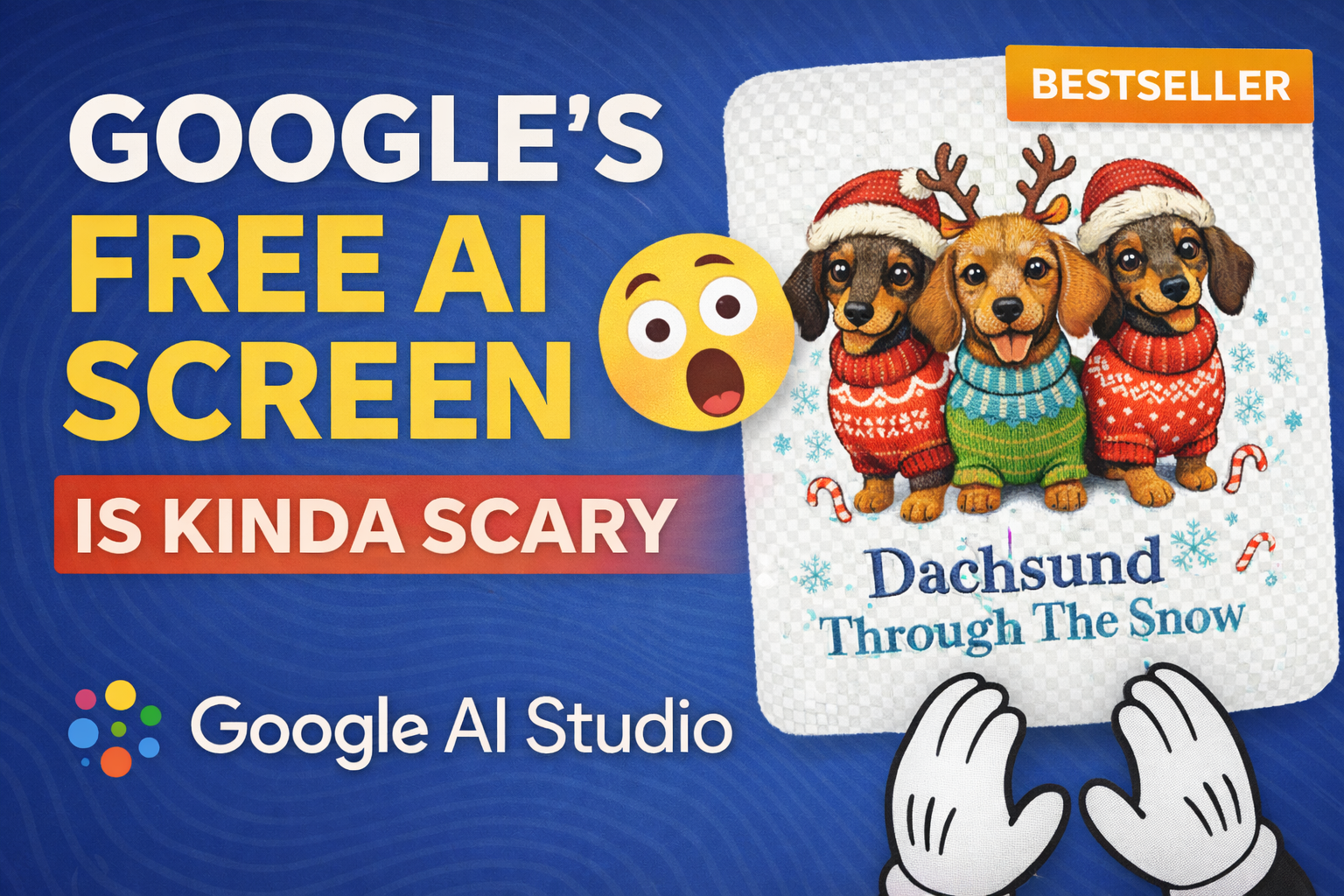
I Tested Google AI Studio’s Live Assistant for Etsy Research (It’s Free… and Kinda Scary)
Do you think this is a good listing to sell on Etsy? Honestly… yeah. When you see a listing with Bestseller, In demand, and the shop has Star Seller, that usually means one thing: people are buying it consistently.
So today I did something different.
I jumped into Google AI Studio (free), opened their Live assistant mode, shared my screen… and used it like a co-pilot to help me:
- Evaluate Etsy listings
- Pick what’s “worth recreating” (without copying)
- Write prompts
- Choose AI models
- Iterate designs until they look right for t-shirts
And I’ll be real with you: it’s helpful… but it’s not perfect. And yes, it will definitely make you think, “Okay… AI is getting a little too close to replacing everyone.”
What Google AI Studio Is (And Where the “Live” Assistant Is Hiding)
Google AI Studio is a free platform where you can access a bunch of Google models like Gemini, Nano Banana, V3, etc.
The feature I used is the “Live” assistant inside the Playground. It lets you:
- Talk to it (voice)
- Use your camera (it sees you)
- Share your screen (this is the wild part)
Once I shared my screen, I could literally ask it questions like:
- “Which product here looks viral?”
- “Is this safe to sell or is it copyrighted?”
- “What prompt should I use to get something similar?”
Step 1: Using the Assistant to Spot “Good” Listings
I started with a simple goal: find a design that’s clearly selling well.
The assistant suggested a few options based on what it saw. And this is where you have to remember:
The assistant will sometimes recommend copyrighted/trademarked stuff because it’s focused on “what sells,” not “what’s legally safe.”
Example: it pointed out a Grinch-style design as “popular.” And yes, it might be selling… but that’s risky.
Rule: If it’s a known character or brand (Disney, Grinch, Marvel, etc.), don’t touch it. Instead, take the underlying theme (vintage holiday humor, cozy winter animals, embroidered look, etc.) and create something original.
Step 2: The Listing We Chose (Because It Was Actually Safe and Selling)
We landed on a Christmas-style design featuring cute dachshunds with a faux embroidery / stitched look.
Signals that it’s worth studying:
- “In demand” badge (recent high purchase velocity)
- “Bestseller” badge
- Strong shop credibility (Star Seller + social proof)
- Clear visual style that’s easy to adapt into new ideas
The goal wasn’t to copy it. The goal was to learn what’s working (style + composition + cuteness) and create something new in that lane.
Step 3: Turning the Assistant Into a Prompt Writer (And Testing Models)
I asked the assistant: “What prompt should I use to generate a design like this?”
It gave me something like:
“Faux embroidery design of three cute dachshunds in Christmas sweaters and Santa hats… snowflakes… candy canes… festive… text ‘Dachshund Through The Snow’…”
Then I added the most important requirement for POD:
Transparent background.
Because if you’re selling a t-shirt design, you usually want the object + text only. Not a full painting background.
Model Reality Check: The Assistant Isn’t Perfect
Here’s what happened next (and this is the key lesson):
- The assistant recommended an “artistic” model first.
- The output looked okay… but it wasn’t transparent.
- So I switched to Nano Banana, and immediately got cleaner results with transparent background.
So yes, the assistant saves brain power… but you still need judgment.
The Iteration That Actually Made the Design Better
The first Nano Banana result was transparent, but not as colorful/cute as the original listing.
So we iterated the prompt to emphasize:
- Vibrant colors
- Front-facing dogs (this mattered a lot)
- Faux embroidery stitch detail
- Clean isolated composition
Here are “starter prompts” you can use as a base (make them original and adjust details):
Prompt A: Clean, Cute, POD-Friendly
Vibrant faux embroidery design of three cute front-facing dachshunds wearing brightly colored knitted Christmas sweaters and Santa hats, highly detailed stitched texture, small snowflakes and candy cane accents around them, transparent background, centered composition, cute kawaii proportions, crisp readable text: “Dachshund Through The Snow”.
Prompt B: More “Cutesy” Face + Big Eyes
Ultra cute faux embroidery patch-style illustration of three front-facing dachshunds with slightly bigger eyes and smiling expressions, colorful knitted sweaters, Santa hats, soft stitch shading, minimal festive accents, transparent background, clean t-shirt graphic, text in stitched embroidery style: “Dachshund Through The Snow”.
That “front-facing” detail was huge. The original listing was just… cuter. So we leaned into that.
My Honest Take: It’s a Great Helper, But You Still Have to Drive
After testing it, here’s my honest opinion:
- It’s helpful because it reduces thinking friction. You feel like you’ve got someone guiding you.
- It’s not perfect because it will suggest risky copyrighted ideas, pick the wrong model sometimes, or drift in weird directions if your instructions get too complex.
- The best results happened when I kept commands simple and focused on what mattered (transparent background, front-facing cute dogs, embroidery look).
And beyond Etsy… this “screen-sharing assistant” concept can help with almost any job:
- Video editing workflows
- Debugging code
- Reading analytics
- Troubleshooting tools
- Learning software faster
It’s free, so it’s definitely worth playing with.
My Workflow Shortcut (If You Sell on Etsy)
If you want the workflow I personally use for Etsy design research + generation in one place, that’s exactly why I built Kreatorium AI.
It’s made for Etsy sellers and includes:
- Etsy Research (New & Hot, bestsellers, momentum tracking)
- AI image generation (including Nano Banana)
- Background removal
- Upscaler
- Photo editor
- Video tools
- Prompt + image history so you don’t lose anything
The whole point is simple: instead of paying for a bunch of different subscriptions, you use one tool and move faster.
If you enjoyed this experiment, drop a like, and tell me: should I do more “AI assistant builds an Etsy product” style videos/posts?